Access Lock3.304
Publisher Description
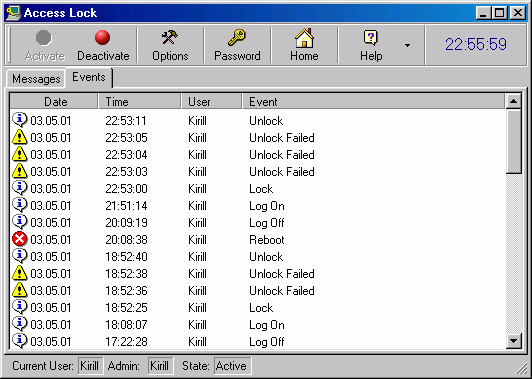
Access Lock is an easy-to-use system-tray security utility you can use to secure your desktop when you are away from your computer. Just configure the program, define a password and double click the Access Lock system-tray icon every time you need to disable and hide your desktop. While it is locked, the system keys and taskbar are disabled and the mouse cursor is trapped, unauthorized password entries are met with an audio alert and logged to disk. The only thing is available in this mode is a pop-up password-entry dialog with an input area for the password that restores your desktop to working condition. Access Lock enables you to lock your PC by two methods. The first one hides your desktop and shows a screen saver while the second one does not hide it allowing others to watch what happens there that is very useful when you would like to demonstrate something to people but do not want them to play with it. It also prevents unauthorized access on boot and allows people around to leave messages while the system is locked. You will find the program interface very easy to negotiate. Excellent online help is available.
About Access Lock
This Access Control program is available in English. It was last updated on 29 September, 2026. Access Lock is compatible with the following operating systems: Windows.
The company that develops Access Lock is Ixis Ltd. The latest version released by its developer is 3.304. This version was rated by 10 users of our site and has an average rating of 4.7.
The download we have available for Access Lock has a file size of N/A. Just click the green Download button above to start the downloading process. The program is listed on our website since 2013-11-21 and was downloaded 757 times. We have already checked if the download link is safe, however for your own protection we recommend that you scan the downloaded software with your antivirus. Your antivirus may detect the Access Lock as malware if the download link is broken.
How to install Access Lock on your Windows device:
- Click on the Download button on our website. This will start the download from the website of the developer.
- Once the Access Lock is downloaded click on it to start the setup process (assuming you are on a desktop computer).
- When the installation is finished you should be able to see and run the program.
